
 by
by 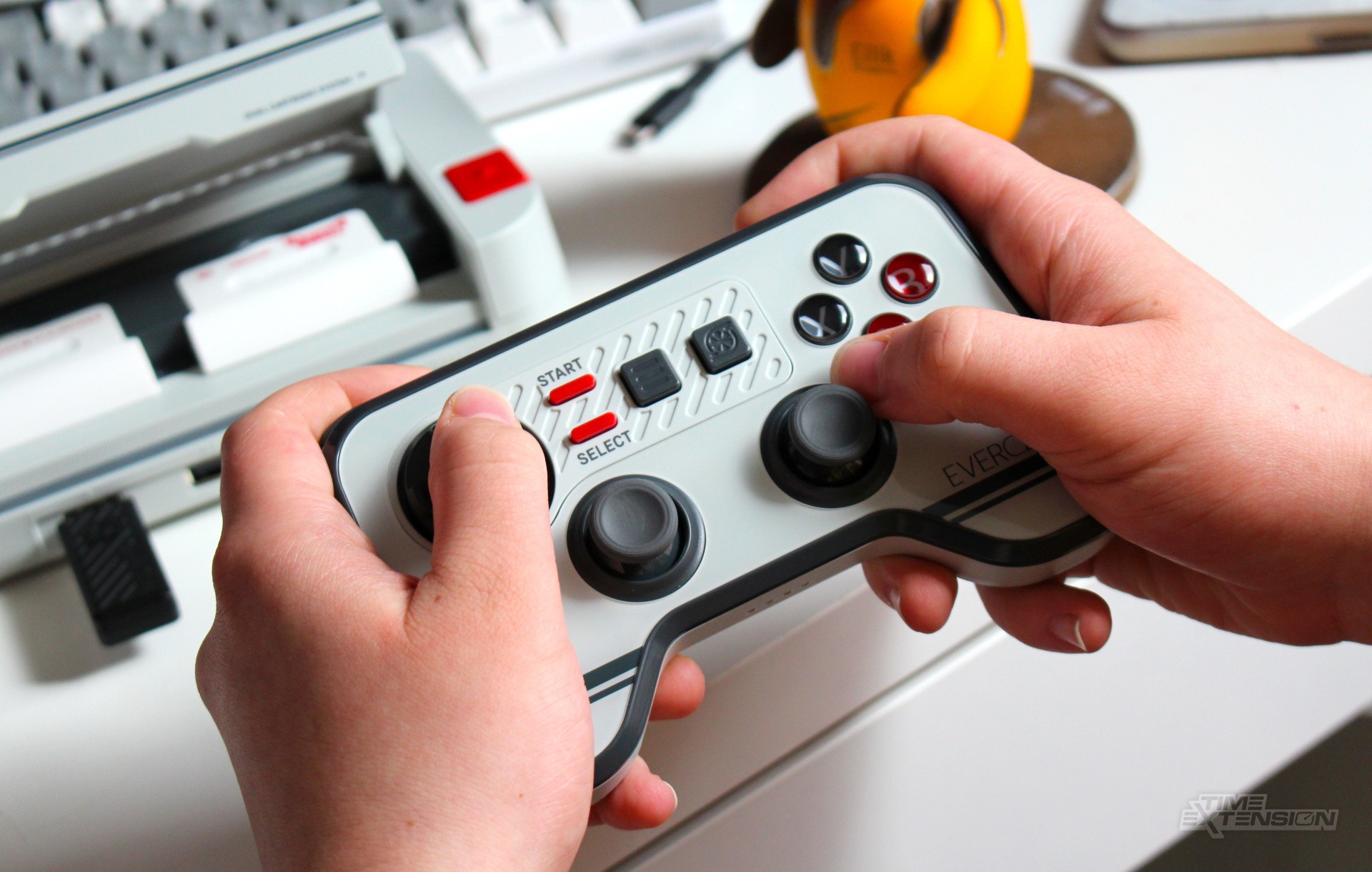
The impending arrival of the Evercade Nexus means that Blaze's retro-focused family of systems finally has dual analogue control built-in – but, as long-standing fans will tell you, that's already been possible on the Evercade VS, VS-R and Alpha consoles.
Support for third-party dual analogue controllers has been in beta for some time now, and is naturally limited to titles that can make use of such controls. The Nexus is launching alongside the Banjo-Kazooie Double Pack, which contains two games that support dual analogue input – so it's understandable that many existing Evercade fans will be looking for a suitable pad if they haven't done so already.
If you're choosing to pick up this collection to play on your Evercade VS, VS-R, or Alpha, the Evercade Wireless Controller – announced in February and launching in September – is a solid choice.
The most obvious benefit of this pad is the aforementioned dual sticks, which, as well as being the ideal way to experience Banjo-Kazooie and Banjo-Tooie, are also supported by titles such as Worms Armageddon (Worms Collection 1), Speedball 2100 (The Bitmap Brothers Collection 1), 40 Winks (Piko Interactive Collection 3), Duke Nukem: Land of the Babes (Duke Nukem Collection 2), Duke Nukem: Time to Kill (Duke Nukem Collection 2), Glover (Piko Interactive Collection 4), Tomb Raider III: Adventures of Lara Croft (Tomb Raider Collection 1), Tomb Raider Chronicles, Tomb Raider The Last Revelation (both on Tomb Raider Collection 2) and Legacy of Kain: Soul Reaver (Legacy of Kain Collection). Just remember to enable analogue controls in your Evercade's settings.
The sticks don't use Hall Effect technology, so there's a chance that stick drift could happen at some point in the future – but for the present, I'm pretty impressed with how they feel and control. They're roughly the same size as those seen on the PlayStation Dual Analogue Controller (not DualShock), with concave, rubberised tops.
The design language of the controller ties it in neatly with the Evercade VS-R, complete with the flat face plate and Sega-style 'rolling' digital pad. The face buttons share the same transparent design, and the 'Start' and 'Select' keys are in the same place but pulled a little closer together vertically. Next to them is the Menu button and a new button that enables auto-fire, the rate of which is adjustable. To enable this, you press the button you wish to apply auto-fire to with the auto-fire button itself. Pressing it again disables it.
The sides of the controller splay out slightly toward the bottom, creating a prong-like effect like you'd find on modern pads for the PS5, Xbox One, and Switch Pro Controller. This new design includes two ergonomic 'bulges' underneath, making the pad much more comfortable to hold than its wired equivalent.
On the top edge, there are four digital shoulder buttons, and these are the exact same design as the ones on the wired pad. You'll also find the USB-C port and pairing button here. On the bottom edge, a bank of four LEDs shows which player the pad is assigned to on your Evercade system. Battery life is rated for around 15 hours per charge, which is pretty decent.
Outside of those twin sticks, the other advantage the Evercade Wireless Controller has over its wired sibling is in its name: you can finally ditch the cable thanks to wireless connectivity, enabled via a USB dongle that, when not in use, stores on the back of the controller with a magnet. The connection is Bluetooth rather than 2.4GHz.
Insert this dongle into one of your Evercade system's USB controller ports, then press the pairing buttons on both the dongle and the controller. After the initial pairing, pressing the Start button wakes the controller and reestablishes the link the next time you turn on your Evercade system.
Compatibility isn't limited to the Evercade family; you can also use this controller with the Switch 1 and 2, PC, Apple Mac, and Android devices. Given that Switch 1 and 2 lack analogue triggers, the fact that the triggers are digital on the pad becomes a total non-issue. However, if you're looking to use the pad on other platforms, keep in mind that you'll be missing out on proportional input on the L2 and R2 shoulder triggers.
Priced at just £34.99 / $39.99 / €39.99, the Evercade Wireless Controller isn't too unreasonable in terms of cost, especially when compared to controllers for modern-day consoles. If you're an Evercade user, it's probably going to become an essential part of the experience moving forward – and, if you're not already using a third-party analogue pad with your system, I'd say it should be top of your shopping list.
Thanks to Blaze for supplying the Evercade Wireless Controller used in this review.
Please note that some external links on this page are affiliate links, which means if you click them and make a purchase we may receive a small percentage of the sale. Please read our FTC Disclosure for more information.