
 by
by 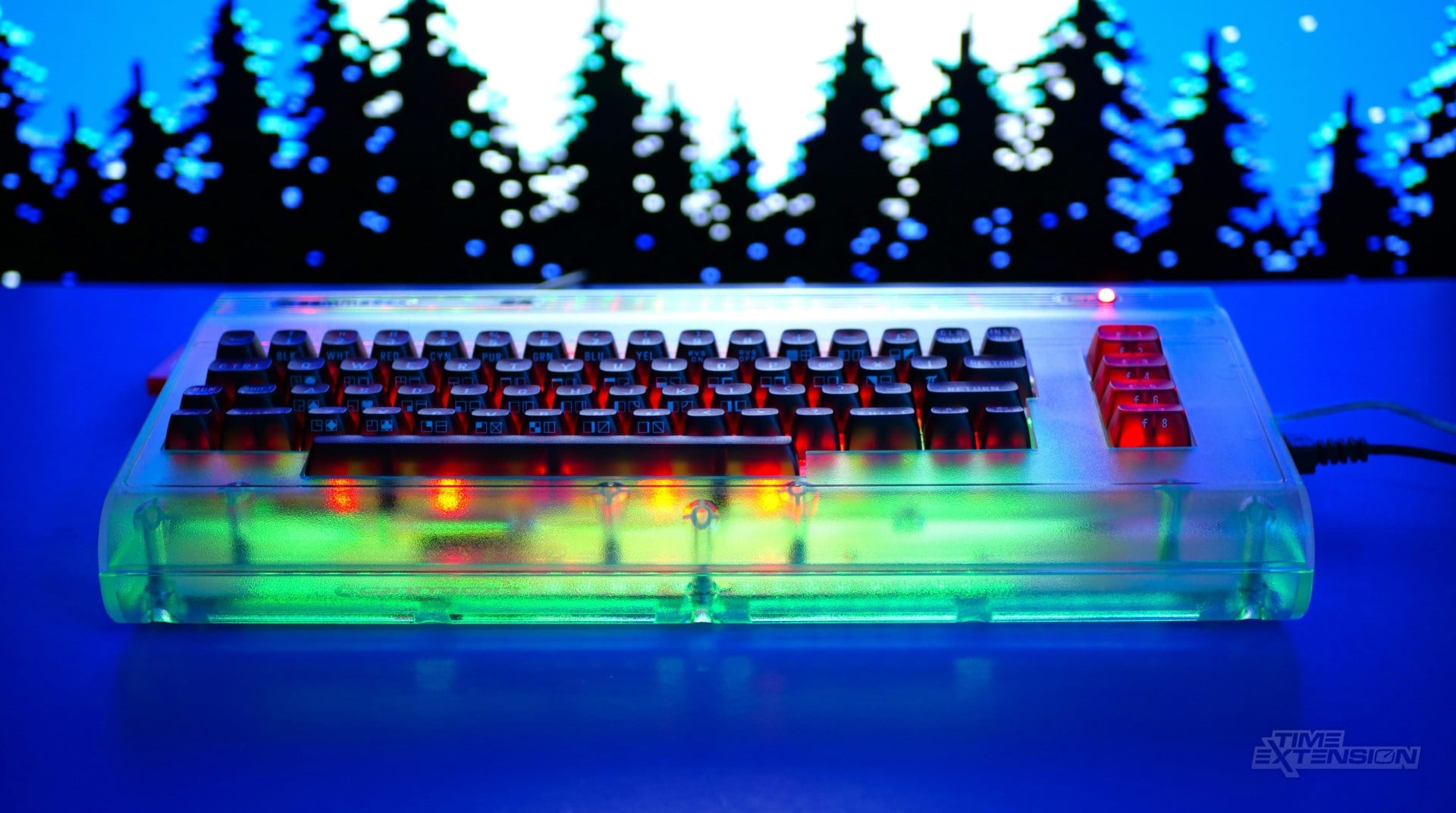
When a team of Commodore enthusiasts and former staff announced they were buying the brand from its Dutch owners earlier this year, it triggered a wave of interest from countless gamers who had grown up with the company's iconic C64 home computer.
Released in 1982, the Commodore 64 sold millions of units and hosted thousands of titles, making it one of the most popular gaming platforms of the decade. The 'revived' Commodore quickly confirmed that its first product would be a new version of this beloved system: the Commodore 64 Ultimate, an FPGA-based recreation based on Gideon Zweijtzer's Ultimate 64 Elite-II board.
True to his word, Commodore International CEO Christian Simpson has managed to get pre-ordered units into the hands of customers before the festive break, and I've been lucky enough to have had one in my possession for a week.
Is this expensive recreation of the iconic breadbin worth the $300 asking price, or are you better off with the cheaper, emulation-based The C64 Mini? Let's find out...
Commodore 64 Ultimate Review: Design & Build Quality
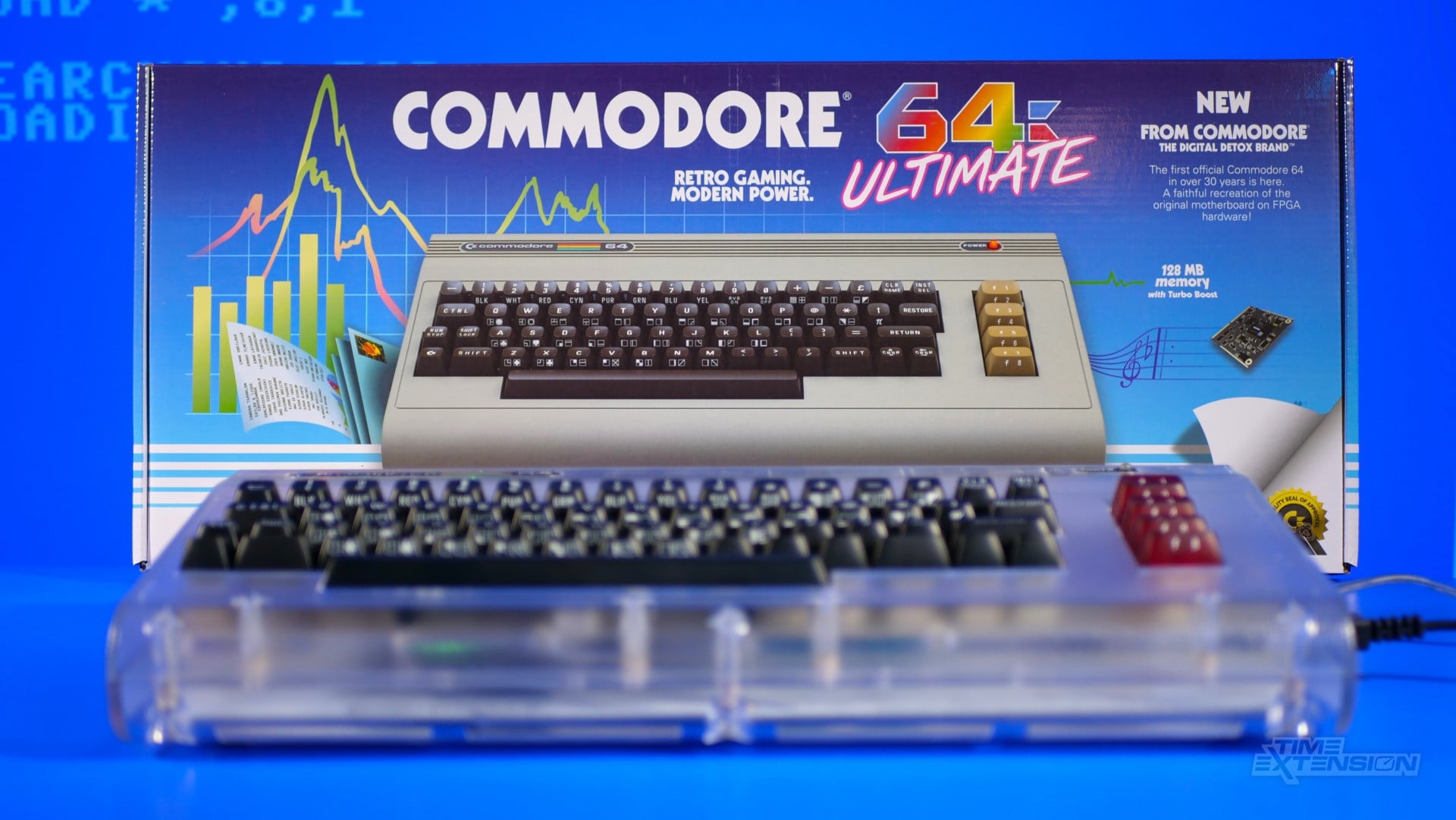
To the untrained eye, the Commodore 64 Ultimate looks almost identical to the original '80s version. It's the same size, has the same logo, and the power LED is in the same place. However, seasoned fans of the computer will spot some differences mere seconds after removing it from the pleasingly faithful packaging, which painstakingly replicates the original C64 box's look.
While the Commodore 64 Ultimate retains elements such as the Memory Expansion port, cassette deck interface, analogue video connector, and twin DB9 controller ports, it adds some more modern features, such as two USB-A ports, an Ethernet socket, and HDMI-out.
This is a system which is designed to straddle the old and the new; you can connect up a disk drive or cassette deck and run your original C64 games – something that most modern 'micro console' takes on old home computers normally choose to omit. You can also connect C64 cartridges.
At the same time, it's possible to boot games from a USB drive, giving you the best of both worlds – purists can treat this like an original C64, while more casual players can take the easier route.
The Commodore 64 Ultimate is available in three variants: Basic Beige ($299.99), Starlight Edition ($349.99) and Founder's Edition ($499.99). The unit I was sent is the Starlight one, so that's the only version I can pass comment on; suffice to say, it's an eye-catching piece of tech.
The casing is transparent and shows off the motherboard contained within. The 'Starlight' aspect of the name originates from the fact that the computer features banks of colour-changing LEDs, which can be programmed to dance and pulsate during use. My favourite option is to have the LEDs react to the music in each game, creating a dazzling light show.
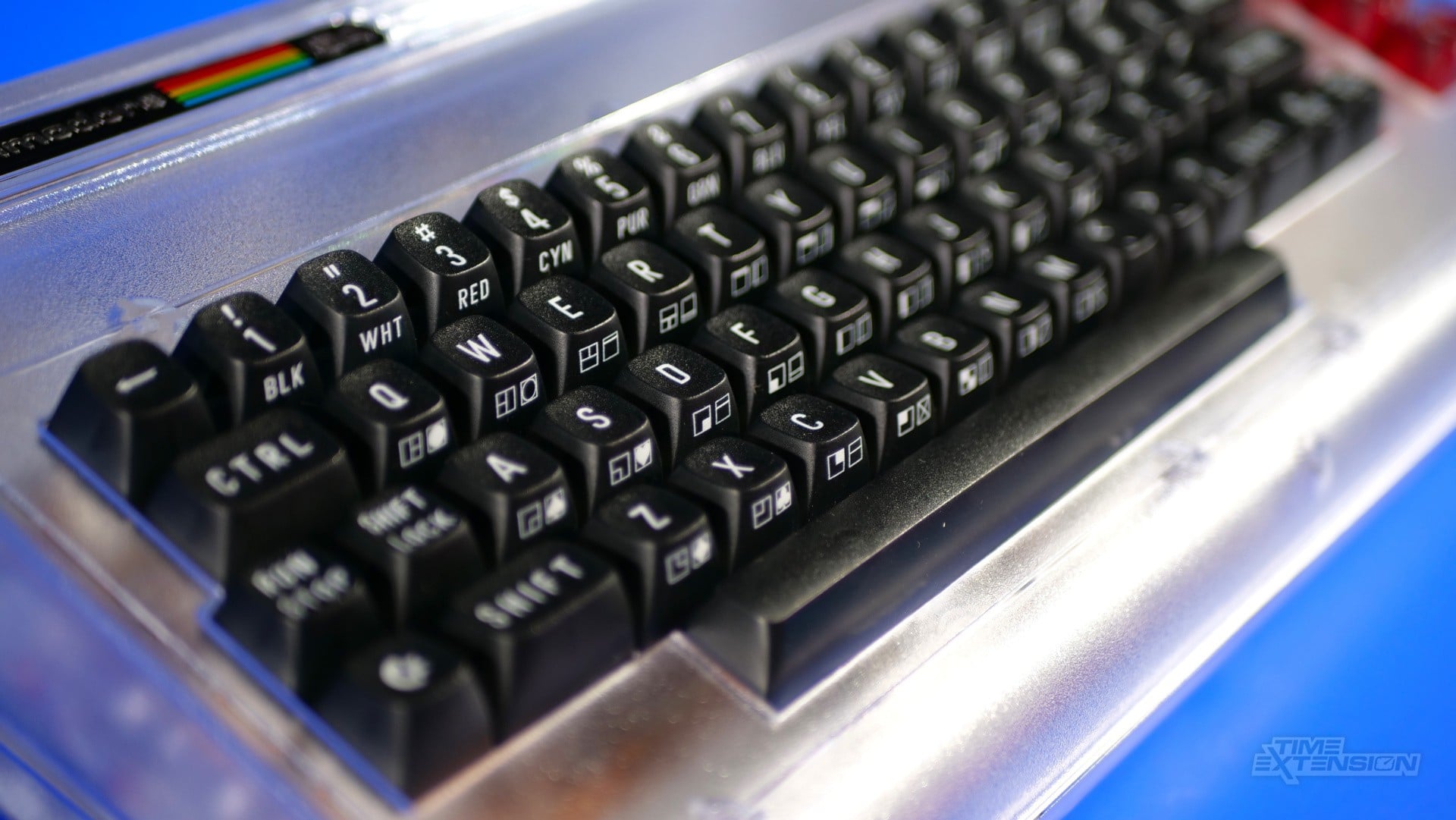
The keyboard uses mechanical Gateron Pro 3.0 55g switches, and while these don't sound quite as 'clunky' as the ones on the original C64, they're nicer to use and benefit from N-Key Rollover (NKRO), so you won't have to endure any missed inputs.
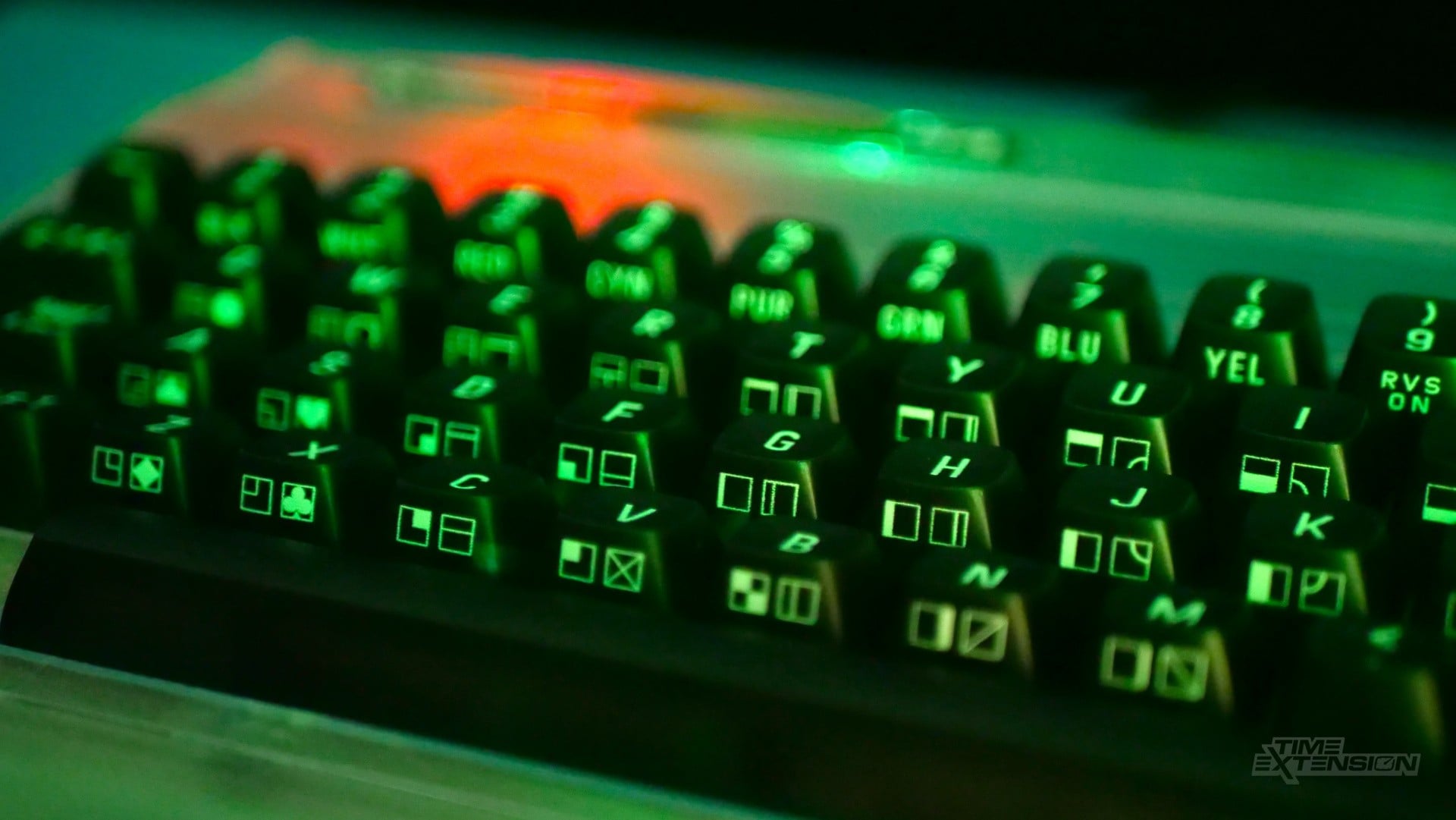
When the unit is powered off, or the LEDs are inactive, the keys appear to be black – but they're actually made from a transparent plastic. When the LEDs are doing their dance, it can often be hard to make out the symbols on each key, but you can, if you wish, disable the lighting on the keyboard and just have the internal shell LEDs active – or switch off the lights entirely.
Sticking with the keyboard, it's one of the areas where the Commodore 64 Ultimate's otherwise impeccable build quality is called into question. I noticed that the keyboard itself flexes quite a bit when typing; it would seem that the transparent plastic isn't as rigid as it could be, leading to movement even under gentle key presses.
I wasn't able to test the beige edition of the Commodore 64 Ultimate, but having spoken to those who have, it has been confirmed that it doesn't appear to suffer from the same flexing issues. It's worth noting that this has had no impact on the keyboard's usability, but time will tell if it causes a hardware failure down the line.
When it comes to controller support, the Commodore 64 Ultimate's desire to be as authentic as possible may annoy some users. There's no support for USB controllers, despite the twin ports on the back, so you won't be able to plug in your favourite USB pad.
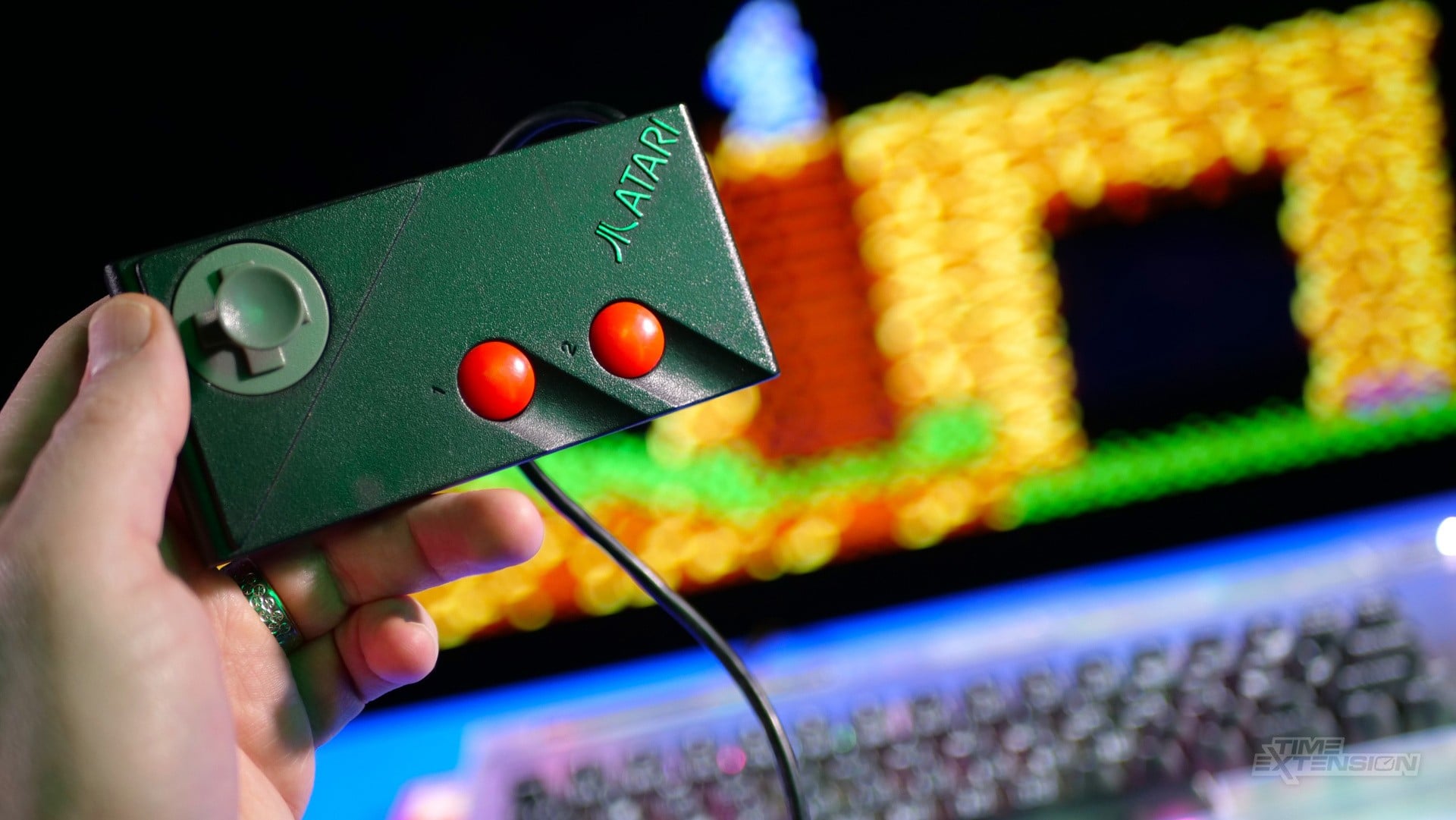
The DB9 ports aren't fully compatible with Sega Mega Drive/Genesis controllers, either – I tried one of Retro-Bit's new replica Sega pads, and the Commodore 64 Ultimate refused to recognise when I pressed 'up' on the D-pad. You'll either have to use an old-school stick from your C64 glory days or find another DB9 variant which works (I had an old Atari CX78 pad lying around that functions perfectly).
It's worth mentioning the system's power switch, which is quite unique. Located on the right-hand side next to the joystick ports and power socket, you'll find a "Multi Function Switch". Pushing this upwards turns on the computer. Hold it down for four seconds to turn it off, while a short push upwards will return you to the main UI when you're in a game or program.
Commodore 64 Ultimate Review: Output Options
The Commodore 64 Ultimate features an HDMI port that supports 1080p output, which is likely to be the primary method for connecting it to a TV. Additionally, 50Hz (PAL) and 60Hz (NTSC) options are available. However, there's also a DIN-8 port which allows for analogue AV output – CVBS, S-Video and RGB are the options here.
This latter port allows you to connect the Commodore 64 Ultimate to a CRT TV or monitor, bringing you another step closer to recreating the original 1980s experience. For nostalgia junkies, this is a pretty amazing feature to have.
When I first booted up the system, it had defaulted to a 480p image with scanlines, but I quickly changed this to 1080p and disabled the scanlines. While this might not look as 'authentic', the pin-sharp image quality looks much better on my flat-panel TV.
Commodore 64 Ultimate Review: Specifications
| What's included |
|
| Chipset |
|
| Memory |
|
| Video |
|
| Audio |
|
| Controls |
|
| Connections |
|
| Networking |
|
| Expansion & Peripherals |
|
| Storage & Compatibility |
|
| Keyboard |
|
| Power |
|
| Lighting |
|
Commodore 64 Ultimate Review: UI & Software
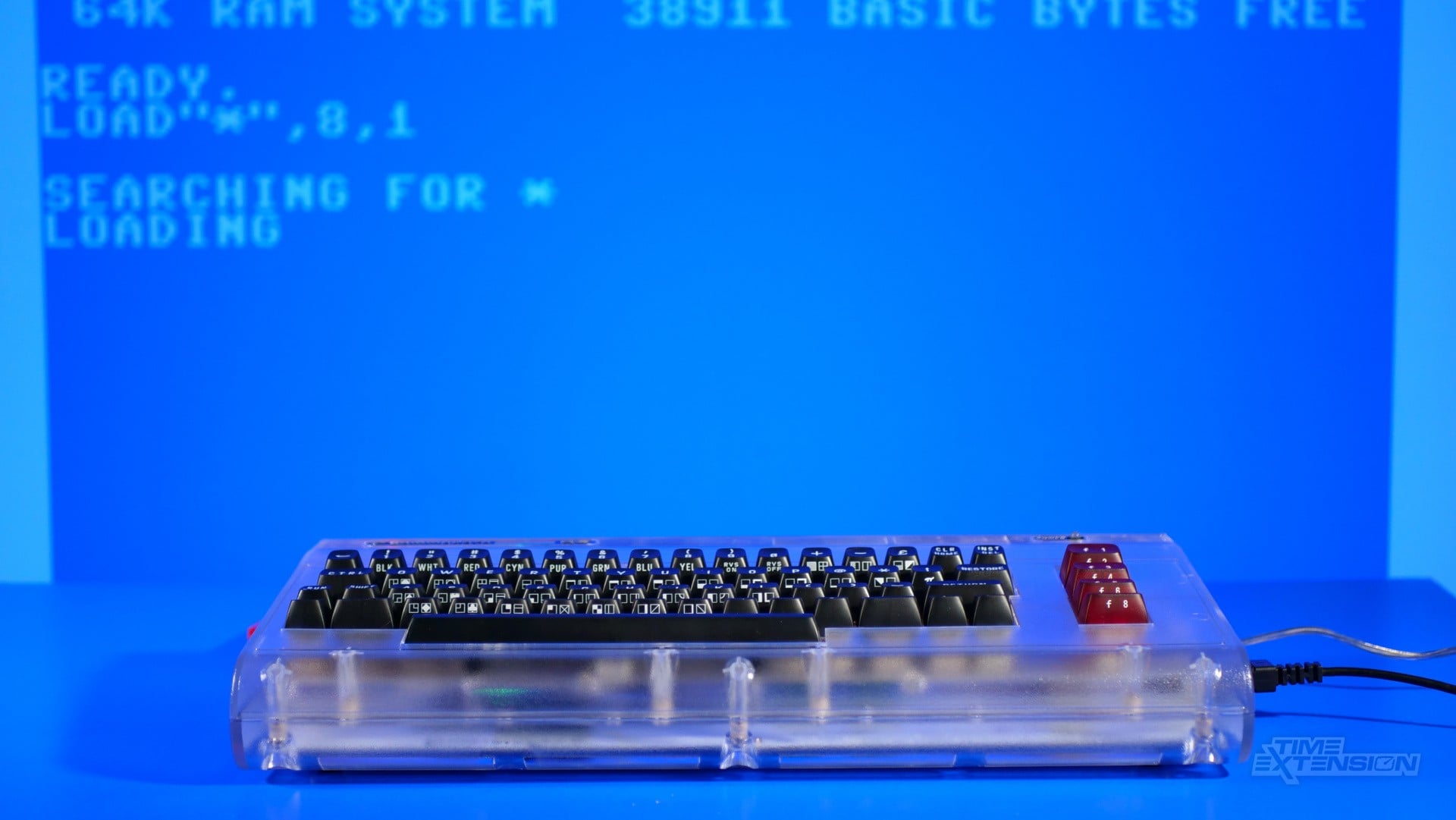
When you turn on the Commodore 64 Ultimate for the first time, you're presented with BASIC – a sight which will be instantly familiar to any long-standing C64 fan. From here, you can perform all manner of coding tasks, as well as load games and other programs.
Most people won't want to interact with the Commodore 64 Ultimate in this way for very long, however. Thankfully, if you push the Multi Function Switch up for a second, you'll see a new menu system which is easier and more intuitive to use.
From here, you can load games from USB, tinker with how the LEDs work, turn on the built-in 'Turbo' boost and even connect to the internet via WiFi so you can download games. If you have a controller connected, then navigating this UI structure is a breeze; if you don't, then you'll need to use the directional keys in combination with the 'Shift' key to make your way around.
Included in the box is a cassette which is, in reality, a USB drive in disguise. Dubbed "The Very Second", this is intended to get you up and running with your Commodore 64 Ultimate the moment you unbox it. It includes games, tech demos, music samples and more. The games range from old-school classics like Hunchback to modern-day titles, like C64anabalt (the C64 version of the popular endless runner Canabalt).
Also included on the USB drive is GEOS, an OS first released in 1986 that gives a more 'Windows'-style interface. You'll need an old-school C64 mouse to make the most of this.
The Very Second is a brilliant introduction to the world of the C64, and will keep you busy for a good while – but you'll soon want to get your hands dirty and load up more titles. I tried a range of C64 images (tape, disk and cartridge) and found that it was capable of running everything I threw at it.
Those of you old enough to have experienced the C64 the first time around will be pleased to learn that it comes with a spiral-bound instruction manual, which gives you a crash course in coding and is the ideal starting point when it comes to making your own games and programs.
Commodore 64 Ultimate Review: Performance
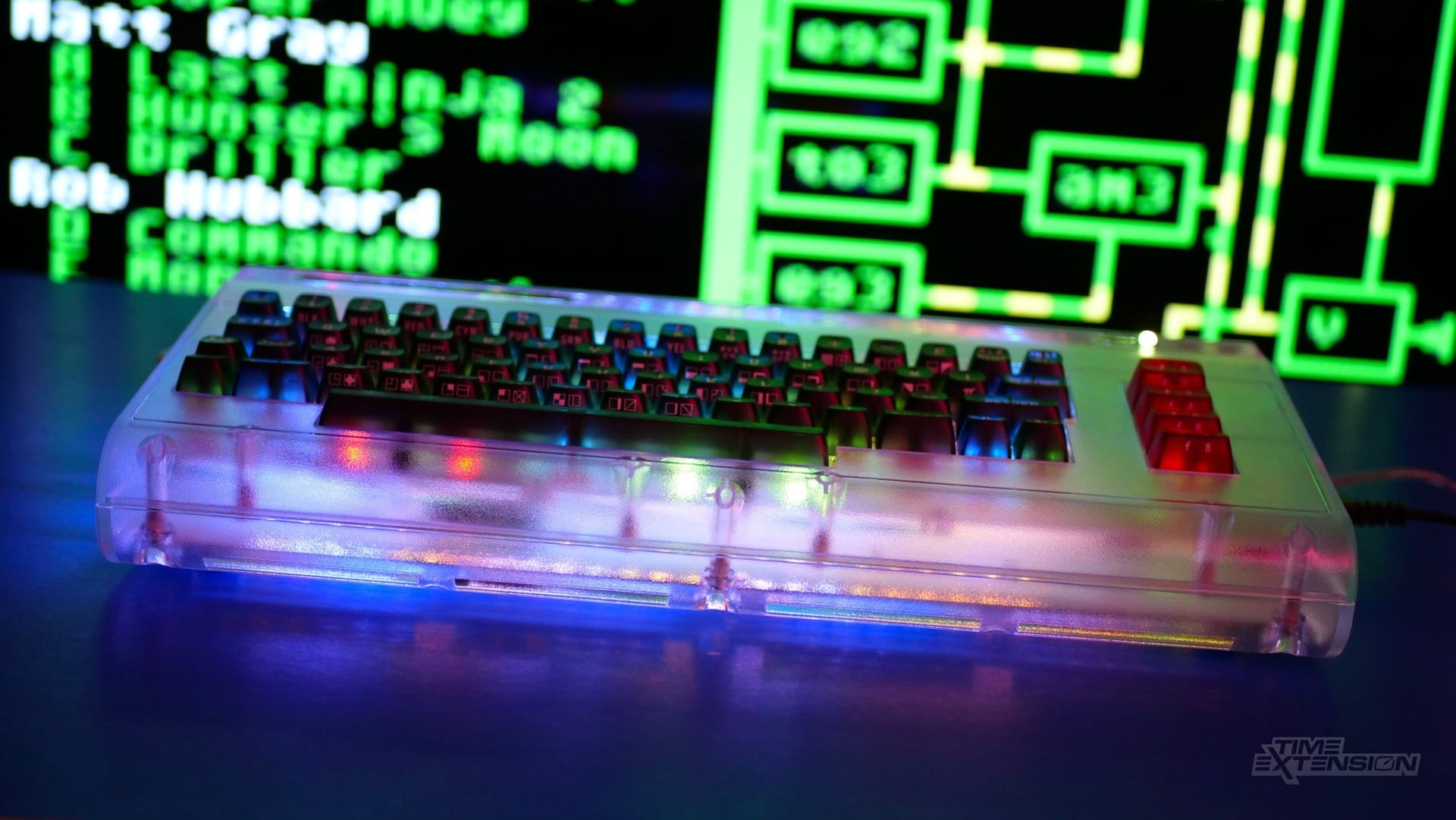
Powered by an AMD Xilinx Artix-7 FPGA chip, the Commodore 64 Ultimate is designed to behave like the original computer at a hardware level, ensuring greater accuracy than traditional software-based emulation.
It's hard to fully reconcile my memory of how C64 games felt when I first played them four decades ago, but the Commodore 64 Ultimate certainly feels like the real deal. Everything looks fantastic, performance is excellent, and there's no noticeable latency to speak of – something which often plagues software-based emulation devices.
Perhaps even more important is the fact that the Commodore 64 Ultimate sounds like the real thing, too. The C64's SID chip is the stuff of legend, and created a sound that was totally unique to the system back in the 1980s. This legendary piece of audio hardware has been replicated perfectly on the Commodore 64 Ultimate, but it's such a revered aspect of the computer that Commodore has left two slots on the motherboard into which you can plug original SID chips – now that's dedication.
The Commodore 64 Ultimate reproduces the performance of the original system perfectly, but it goes beyond that with some of its other modes. For example, the aforementioned 'Turbo' boost allows you to ramp the internal hardware up to a clock speed of 64 MHz. This means you can, in theory, give some games a speed uplift. You can also enable a virtual RAM expansion to give the Commodore 64 Ultimate 16MB of memory. These features really open up the platform for modern-day ports, many of which require additional hardware to run on original C64 computers.
Finally, I simply have to mention the fact that there's an internal speaker which replicates the sound of an external tape or disk drive being accessed when you load up a game – a gloriously nostalgic touch which, in my opinion, never gets old. Every time I hear that telltale 'click' sound, I'm instantly transported back to a time when silent solid-state drives were the stuff of a madman's dreams. Bravo, Commodore.
I've not been brave enough to physically open up my Commodore 64 Ultimate, but I'm aware that its motherboard is home to some interesting features. I've already mentioned the fact that you can add your own SID chips, but there's also the ability to plug in an original C64 keyboard, should you find the one that ships with this unit not to your liking.
There's also an internal 'User Port', which bodes well for homebrew expandability, and the FPGA board is removable, allowing for potential future upgrades to the Commodore 64 Ultimate. Commodore has thoroughly considered everything here, making this an excellent platform for both hobbyists and those seeking the best way to reconnect with the C64.
Commodore 64 Ultimate Review: The Alternatives
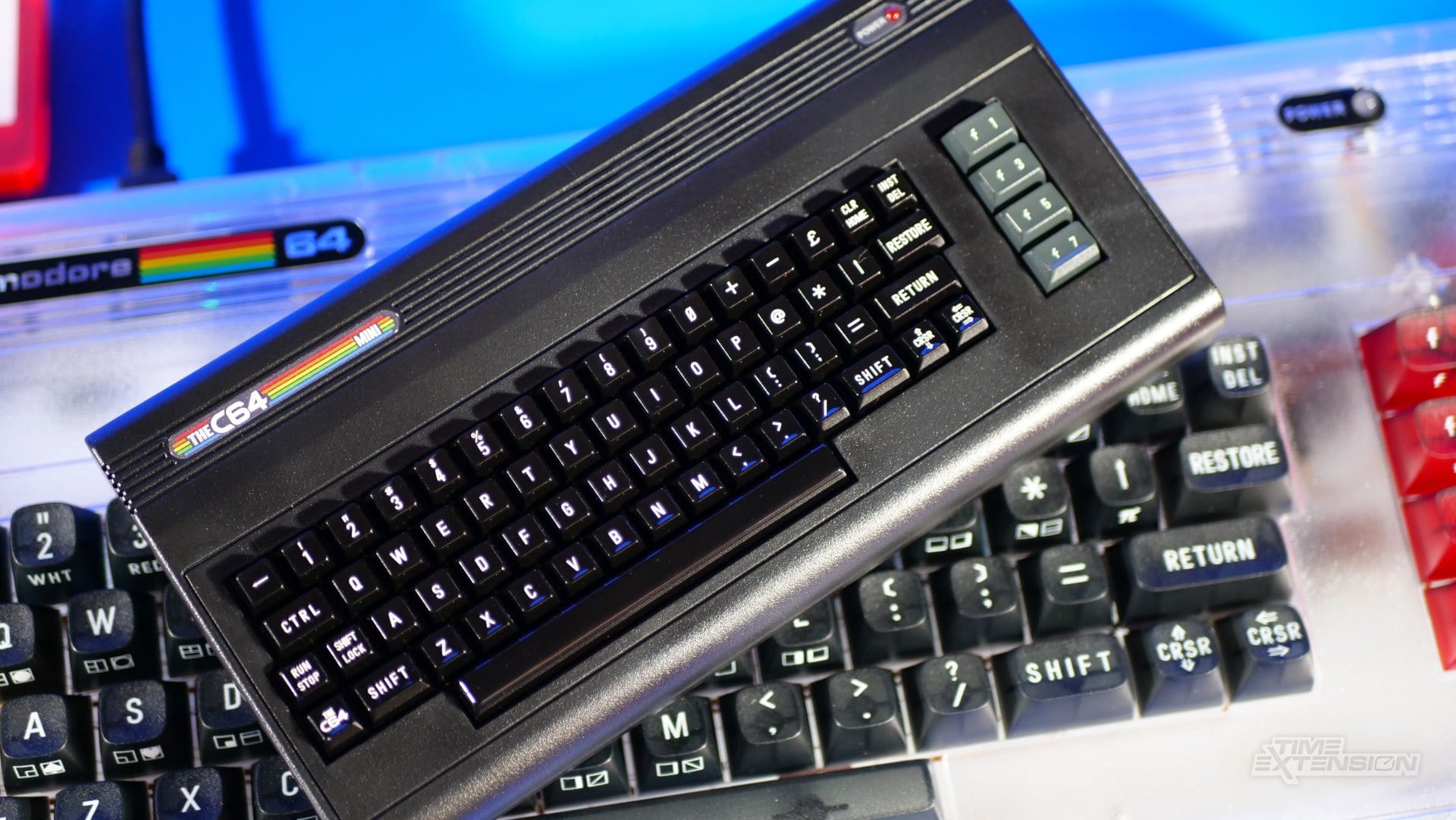
There's no getting around the fact that the Commodore 64 Ultimate is an expensive piece of kit, and for those of you who simply want to experience some classic games, The C64 Mini is perhaps a better option.
It's a fraction of the cost and can run pretty much every C64 game, plus it's smaller and easier to fit underneath your TV. The downside is that it uses software emulation, which often lacks the accuracy of FPGA-based emulation, and it cannot run original games or use original accessories and peripherals. It also lacks a built-in keyboard.
If you want FPGA accuracy but don't fancy spending $300, then the MiSTer FPGA platform has a C64 core that's worth a look. The MiSTer Pi derivative is cheap, too. Outside of that, it's also possible to emulate the C64 on Raspberry Pi-based devices and Android emulation handhelds.
Commodore 64 Ultimate Review: Conclusion
The Commodore 64 Ultimate certainly isn't the first attempt to bring the legendary home computer to modern gamers – Retro Games Ltd. did that with The C64 Mini, which is apparently one of the best-selling products of its kind.
However, what the resurrected Commodore has done with this FPGA-powered system is create something which goes way beyond simply reproducing the C64 with software emulation; the Commodore 64 Ultimate really is a 'new' version of the computer, capable not only of running all existing periperhals and software, but also able to boost perfomance and open up C64 development to a whole new generation of coders.
It's really hard to fault the execution behind this passion project, and any self-respecting C64 fan will fall head over heels in love with this machine. It's not perfect, of course; the Starlight edition I've reviewed here showcases some worrying flex on its keyboard, and the price tag arguably places the Commodore 64 Ultimate outside of the consumer sector that devoured THE C64 Mini with such gusto.
However, this remains a fantastic piece of technology that effortlessly fuses the old with the new in a way which is respectful to the original system yet exciting and vibrant in its own way. Let's hope Simpson and his team at Commodore International can find a way to work with the Amiga next; a similar approach with that 16-bit powerhouse has the potential to be even more exciting.
Thanks to Commodore International for supplying the C64 Ultimate used in this review.